Documentation Index
Fetch the complete documentation index at: https://smithery.ai/docs/llms.txt
Use this file to discover all available pages before exploring further.
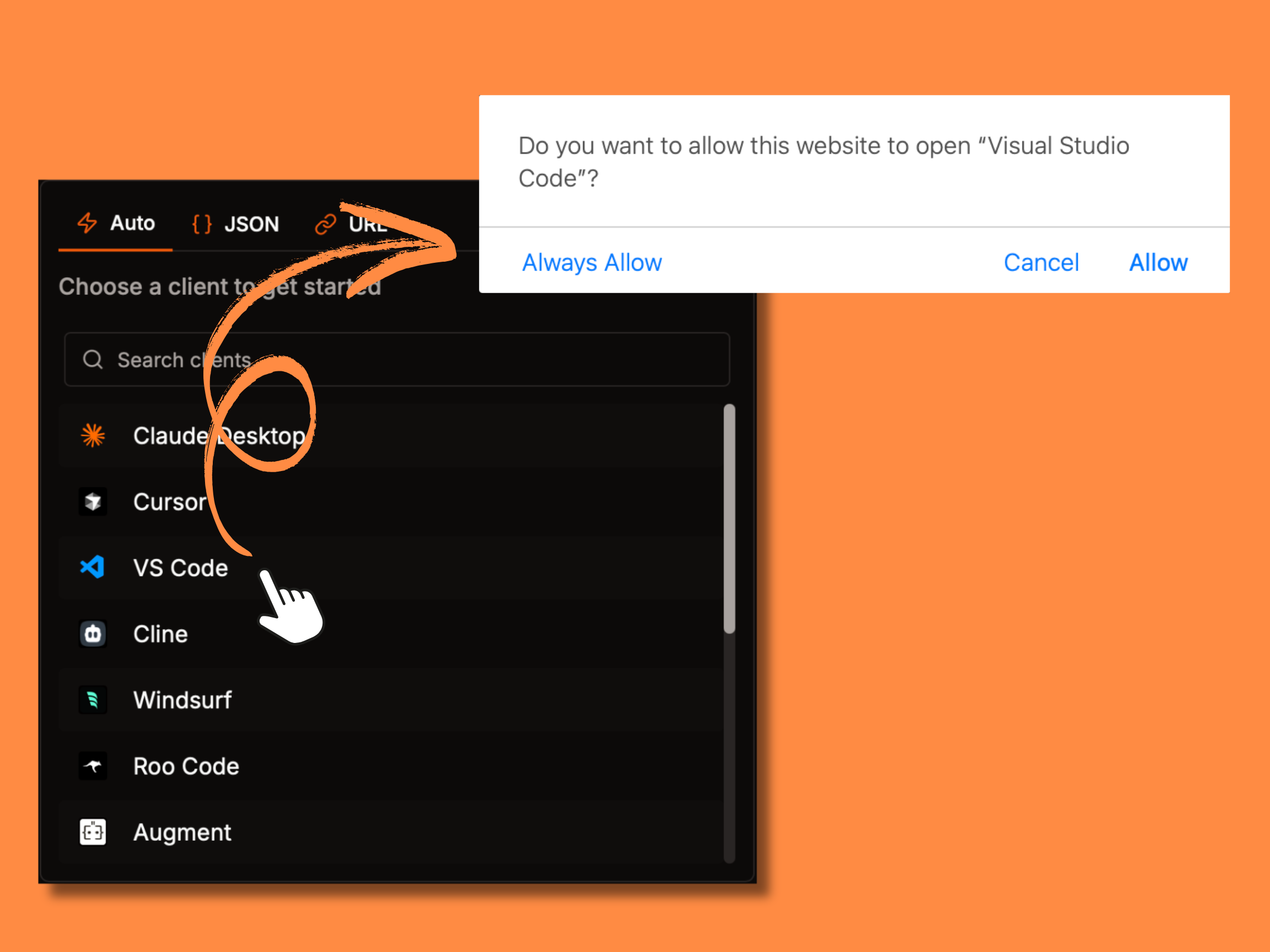
Deep links provide a seamless way to integrate Smithery MCPs into supported clients.
When a user clicks a deep link from our server page, the client automatically configures the MCP with the correct settings.
To get started with integration, please contact us at contact@smithery.ai or join our Discord community for support.
Protocol Specification
Deep links use the following URL format:
`${clientScheme}://{optionalDeepLinkHandler}/mcp/install?name=${encodeURIComponent(displayName)}&config=${encodeURIComponent(config)}`
// Example:
// cursor://anysphere.cursor-deeplink/mcp/install?<server-display-name>&<base64-encoded-json-config>
| Component | Description |
|---|
{client-schema}:// | Protocol scheme |
{optional-handler} | Deeplink handler |
/mcp/install | Path |
name | Query parameter for the server name |
config | Query parameter for base64 encoded JSON configuration |
The config parameter contains a URL-encoded JSON object with the following schema:
interface StdioMCPConfig {
type: "stdio";
command: string; // Example: "npx"
args: string[]; // Command line arguments for the MCP CLI
}
// Note: The configuration does not require an "env" field because
// Smithery automatically handles sensitive data through saved configurations.
interface HttpMCPConfig {
type: "http";
url: string; // URL of the MCP server
}
type MCPConfig = StdioMCPConfig | HttpMCPConfig;
The configuration fields are detailed in the table below:
| Field | Description | Example |
|---|
| type | Server connection type | "stdio" or "http" |
| command | Command to start the server executable (required for stdio type). The command needs to be available on your system path or contain its full path. | "npx" |
| args | Array of arguments passed to the command (required for stdio type). | ["-y", "smithery@latest", "run", "@wonderwhy-er/desktop-commander"] |
| url | URL of the MCP server (required for http type) | "https://exa.run.tools" |
Example Configurations
stdio-based Configuration:
{
"type": "stdio",
"command": "npx",
"args": ["-y", "smithery@latest", "run", "@wonderwhy-er/desktop-commander"]
}
HTTP-based Configuration:
{
"type": "http",
"url": "https://exa.run.tools"
}
Handling Deep links
When your client receives a deeplink:
- Parse the URL-encoded config parameter using
decodeURIComponent
- Parse the resulting string as JSON
- Create the transport with provided arguments
Example implementation:
Deeplink Handler
// Parse deeplink and return name and config
function handleDeepLink(url: string) {
const urlObj = new URL(url)
const name = urlObj.searchParams.get('name')
const config = JSON.parse(decodeURIComponent(urlObj.searchParams.get('config')))
return { config, name }
}
Stdio Example
// Example with stdio transport
async function setupStdioMCP(url: string) {
const config = handleDeepLink(url)
const transport = new StdioClientTransport({
command: config.command,
args: config.args
})
const client = new Client({ name: "Test client" })
await client.connect(transport)
return client
}
HTTP Example
// Example with HTTP transport
async function setupHttpMCP(url: string) {
const config = handleDeepLink(url)
const transport = new StreamableHTTPClientTransport(config.url)
const client = new Client({ name: "Test client" })
await client.connect(transport)
return client
}